
Running Google Ads around the clock often leads to wasted budget. If your ads show at 3 AM when your audience is asleep, you pay for impressions that rarely convert. Ad scheduling in Google Ads solves this by controlling exactly when your ads appear. Learn how ad scheduling works, best practices, and how AI can automate the process.
What Is Ad Scheduling in Google Ads?
Ad scheduling, also called dayparting, lets you specify which days and times your ads run. Instead of 24/7 ads, you display them only during periods when your audience engages most.
How Ad Scheduling Works
When you schedule google ads by time, you define time windows for each campaign. Google Ads lets you create schedules in 15-minute intervals, with up to six schedules per day per campaign. This google ads time targeting helps optimize budget across Search, Shopping, Display, Video, and Performance Max campaigns.
Why Timing Matters
Your audience's behavior varies throughout the day. Knowing when to show ads google ads users actually want to see makes a significant difference in conversion rates. During google ads peak hours, your ads compete when users are ready to act. The right timing can double your click-through rates while reducing cost per acquisition.

Benefits of Google Ads Ad Scheduling
Strategic ppc ad scheduling offers several key advantages for advertisers looking to maximize their return on investment:
Higher conversions. Focusing your budget on peak times significantly increases conversion likelihood. You concentrate spending during hours when users are actively searching and ready to buy.
Better budget allocation. Ad scheduling ppc strategies help ppc budget management by setting bid adjustments for high-performing time slots.
Improved relevance. Ads appearing when users need them feel more relevant and drive better engagement.
Business alignment. Schedule ads during google ads hours of operation when you can serve customers.
How to Set Up Ad Scheduling
Setting up ad scheduling requires a data-driven approach for best results. Follow these steps to create an effective schedule.
Step 1: Analyze Your Data
Before creating schedules, examine your campaign's performance history. In Google Ads, navigate to the "When and where ads showed" report to see performance broken down by hour and day. Look for patterns in conversions, click-through rates, and cost per action. Gather 3-6 months of data before making scheduling decisions.
Step 2: Create Your Schedule
To set up your schedule:
- Go to your campaign
- Click "Ad Schedule" in the left menu
- Click the pencil icon to add schedules
- Select days and time blocks
- Save
Step 3: Apply Bid Adjustments
Add bid adjustments to fine-tune performance. Increase bids during peak hours and decrease (but don't eliminate) off-peak periods. Remember schedules use your account's time zone.
Google Ads Ad Scheduling Best Practices
Start broad, then narrow. Begin wide and use data to identify best slots. Don't assume—let data guide decisions.
Don't block off-peak entirely. Some conversions happen unexpectedly. Reduce bids during off-peak instead of eliminating them.
Review monthly. Google ads dayparting isn't set-and-forget. User behavior changes with seasons and market conditions.
Consider time zones. Peak hours differ across regions. Separate campaigns may need tailored schedules.
Common Mistakes to Avoid
Decisions without data. Setting schedules based on assumptions wastes budget. Always analyze reports first.
Too restrictive too fast. Dramatically narrowing schedules before gathering data hurts performance.
Ignoring time zones. Forgetting your account time zone differs from your audience's leads to mistimed ads.
Never updating. User behavior evolves. Regular reviews keep your strategy effective. If you need google ads ad scheduling help, start with data analysis.

How AI Can Automate Ad Scheduling
Manual scheduling requires constant monitoring. This is where AI Google Ads management changes everything.
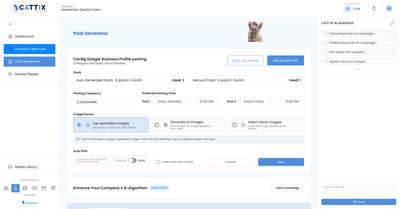
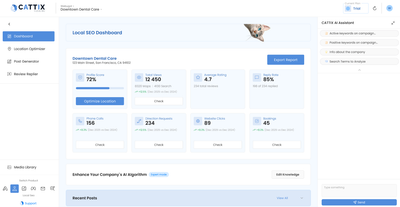
AI-powered automated ad scheduling can analyze data in real-time, identify optimal times automatically, and adapt without manual intervention. PPC automation tools like CATTIX are building ai ad scheduling features that optimize when your ads appear based on performance patterns.
Soon you'll let AI handle timing optimization while focusing on strategy.
Frequently Asked Questions
What is ad scheduling in Google Ads?
Ad scheduling lets you choose specific days and times for ads to appear, focusing budget on periods when your audience converts most.
How do I set up ad scheduling?
Navigate to your campaign, click "Ad Schedule," then add your preferred days and time blocks with bid adjustments.
What is dayparting google ads?
Dayparting divides the day into parts, letting you control when ads run. Google Ads supports 15-minute intervals.
When is the best time to run Google Ads?
It varies by industry. B2B campaigns often perform best during business hours; B2C may convert throughout the day. Analyze your data.
Can I google ads schedule ads for specific hours?
Yes, Google Ads allows scheduling in 15-minute intervals with up to six time blocks daily.
Does ad scheduling save money?
Yes, focusing budget on conversion-friendly times reduces wasted spend on low-performing hours.
What are the best practices?
Start with data analysis, avoid blocking off-peak hours completely, review monthly, and consider time zone differences.
Can AI automate ad scheduling?
Yes, AI tools analyze performance and optimize schedules automatically. Platforms like CATTIX are building these features.
Conclusion
Ad scheduling google ads is one of the most effective ways to improve campaign performance by showing ads when your audience is most active. While manual scheduling works, it requires ongoing attention and regular adjustments. AI-powered tools make this optimization easier and more effective. CATTIX is building automated ad scheduling to help advertisers maximize their ROI with intelligent, data-driven timing decisions.
About the Author
Eugene Ugolkov, CEO and Founder at CATTIX
Eugene is the founder of CATTIX, an AI-powered Google Ads management platform. With extensive experience in digital marketing and machine learning, he leads the development of intelligent advertising solutions that help businesses maximize their ROI.
Publications: Google Scholar