

If your business does not show up when people search "near me," you are losing customers to competitors who do. Creating a Google My Business account — now officially called Google Business Profile — is the single most important step for local visibility.
This guide walks you through the entire setup process step by step, from creating your profile to getting verified and optimizing your listing for local search in 2026.
What Is Google Business Profile (Google My Business)?
Google My Business was rebranded to Google Business Profile (GBP) in 2022, but most people still search for the original name. It is the same product — a free tool from Google that lets you manage how your business appears on Google Search and Google Maps.
When someone searches for your type of business in your area, your Google Business Profile determines whether you show up in the Local Pack (the map section with three business listings at the top of search results), Google Maps, and the Knowledge Panel.
A complete, verified profile is free and gives you:
- Visibility in Google Search and Maps
- A place for customers to leave reviews
- Direct contact options (calls, messages, directions)
- Insights into how customers find you
- The ability to post updates, offers, and photos
What You Need Before Creating Your Profile
- A Google account (Gmail or Google Workspace)
- Your business name (as it appears in the real world)
- A physical address or defined service area
- A phone number and website URL (website is optional but recommended)
- Your business category (e.g., Plumber, Restaurant, Law Firm)
- Business hours
You do not need to pay anything. Google Business Profile is completely free.
How to Create a Google Business Profile: Step by Step
Step 1: Sign Into Your Google Account
Go to business.google.com and sign in with the Google account you want to manage your business profile from. Use a business email if you have one — it keeps your personal and business accounts separate.
Step 2: Enter Your Business Name
Type your business name exactly as it appears on your signage, website, and other listings. Google may show existing listings that match — if your business is already listed, you can claim it instead of creating a duplicate.
Important: Do not add extra keywords to your business name (e.g., "Best Plumber in Toronto"). Google may suspend profiles that do not use the real business name.
Step 3: Select Your Business Type
Google asks what type of business you are:
- Storefront — customers visit your physical location (restaurants, retail stores, clinics)
- Service-area business — you travel to customers (plumbers, cleaners, mobile services)
- Hybrid — you have a physical location AND serve customers at their location
Choose the option that matches how your business operates. This affects how your address appears on Google Maps.

Step 4: Choose Your Primary Business Category
Select the category that best describes your business. This is one of the most important ranking factors for local search. Be specific — "Italian Restaurant" ranks better for relevant searches than just "Restaurant."
You can add up to 9 secondary categories later. Start with the single most accurate primary category.
Step 5: Enter Your Business Address
- For storefront businesses: Enter your full street address. This will appear on Google Maps.
- For service-area businesses: You can hide your address and instead specify the areas you serve (up to 20 cities, regions, or postal codes).
- For home-based businesses: You can list your address but choose to hide it from the public listing.
Step 6: Add Your Contact Information
Enter your business phone number and website URL. Use a local phone number rather than a toll-free number when possible — it signals local relevance to Google.
If you do not have a website, you can skip this field, but having a website significantly improves your local search performance.
Step 7: Add Your Services or Products
List the specific services or products you offer. Be detailed — these appear on your profile and help Google understand what searches your business is relevant for.
For a plumbing business, for example, list individual services like "drain cleaning," "water heater installation," and "emergency plumbing repair" rather than just "plumbing services."
Step 8: Set Your Business Hours
Enter your regular operating hours. Set special hours for holidays and seasonal changes. Accurate hours prevent customer frustration and build trust — Google also considers hours accuracy as a quality signal.
Step 9: Write Your Business Description
You have up to 750 characters to describe your business. Focus on:
- What your business does
- What makes you different
- Your primary service area
- Years of experience or unique qualifications
Avoid promotional language like "best in town" or "cheapest prices." Write a factual, informative description that helps customers understand what you offer.
Step 10: Upload Photos
Add photos that show your business accurately:
- Exterior photo — helps customers recognize your location
- Interior photos — shows the atmosphere and environment
- Team photos — builds trust with potential customers
- Product or service photos — showcases what you offer
Use real photos, not stock images. Google prioritizes authentic imagery. Aim for at least 5–10 photos at launch, and add new ones regularly.
Step 11: Verify Your Business
Google requires verification to confirm your business is legitimate and located where you say it is. Verification methods include:
- Video verification — record a short video of your business location, signage, and surroundings. This is becoming the most common method in 2026.
- Phone or SMS — receive a verification code via call or text message.
- Email — receive a code at your business email address.
- Postcard — Google mails a postcard with a verification code to your business address (takes 5–14 days).
Not all methods are available for every business. Google determines which options to offer based on your business type and category.
Until verification is complete, your profile may not appear in search results or Google Maps.
How to Optimize Your Google Business Profile After Setup
Complete Every Profile Section
Google rewards completeness. Fill in every available field — attributes (wheelchair accessible, free Wi-Fi, outdoor seating), the Q&A section, appointment links, and social media profiles. Profiles with all sections completed rank higher in local search.
Post Regularly
Google Business Profile lets you publish posts — updates, offers, events, and product highlights. Businesses that post regularly see higher engagement and better local rankings.
In 2026, profile freshness matters more than ever. Google's algorithm considers how recently you posted when determining local rankings. Profiles that go silent for 30+ days often lose visibility.
Posting consistently takes time. CATTIX Local SEO automates this entirely — the Post Generator creates and schedules Google Business Profile posts on a 1x or 2x per week schedule based on your keywords and business knowledge. You can review drafts before publishing or let it run on Autopilot.
Respond to Every Review
Reviews are the top local ranking factor after proximity. Respond to every review — positive and negative. Quick, personalized responses show both Google and customers that you are active and engaged.
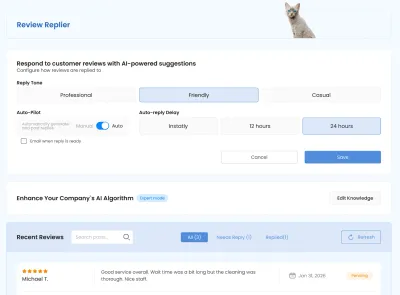
Managing reviews across busy periods is challenging. CATTIX Review Replier drafts personalized responses automatically, so no review goes unanswered. You can edit and send, or run it in Autopilot mode.
Keep NAP Consistent
NAP stands for Name, Address, Phone number. Your business information must be identical across your Google Business Profile, website, social media, and every online directory. Inconsistencies confuse Google and hurt your rankings.
Track Your Performance
Google Business Profile provides insights showing:
- How many people viewed your profile
- How they found you (Search vs. Maps)
- What actions they took (calls, direction requests, website clicks)
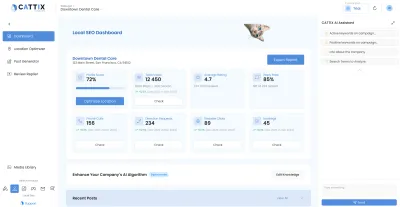
Monitor these metrics weekly to understand what is working. CATTIX Local SEO consolidates all of this into a single dashboard that shows views, actions, review coverage, and posting activity in one view.
Common Mistakes When Setting Up Google Business Profile
- Adding keywords to your business name — violates Google's guidelines and can get your profile suspended
- Choosing the wrong primary category — directly impacts which searches you appear for
- Using a virtual office or P.O. box — Google may reject or suspend listings with non-physical addresses
- Uploading stock photos — Google deprioritizes profiles without authentic imagery
- Setting it and forgetting it — inactive profiles lose ranking over time
- Not verifying — unverified profiles do not appear in search results
- Inconsistent business information — mismatched name, address, or phone number across the web hurts rankings
Google Business Profile for Service-Area Businesses
If you travel to customers instead of receiving them at a location, the setup process has a few differences:
- Hide your physical address — select "I deliver goods and services to my customers" and do not display your street address
- Define your service areas — add up to 20 cities, counties, or postal codes where you operate
- Use a local phone number — reinforces your presence in the areas you serve
Service-area businesses can still rank in the Local Pack for searches within their defined service areas.
Combine Local SEO with Google Ads
A Google Business Profile drives organic local visibility, but combining it with Google Ads amplifies your reach. Local search ads appear above organic results in Google Maps and Search, giving you both paid and organic presence.
If you are new to Google Ads, start with our guide on how to create a Google Ads account. For businesses ready to scale their advertising, CATTIX handles the entire campaign creation workflow — from market analysis and keyword research to campaign publishing — using AI-powered automation.
FAQ
Is Google Business Profile the same as Google My Business?
Yes. Google My Business was rebranded to Google Business Profile in 2022. The functionality is the same — it is a free tool to manage your business listing on Google Search and Maps.
How much does Google Business Profile cost?
It is completely free. There are no setup fees, monthly charges, or hidden costs. You can create, manage, and optimize your profile without paying anything.
Can I create a Google Business Profile without a physical address?
Yes. Service-area businesses can hide their address and instead define the geographic areas they serve. You still need a real address for verification, but it will not be displayed publicly.
How long does Google Business Profile verification take?
It depends on the method. Phone and email verification can be completed in minutes. Video verification typically takes 1–5 business days for Google to review. Postcard verification takes 5–14 days for delivery.
What if my business is already listed on Google?
If someone else created a listing for your business, you can claim it. Search for your business on Google Maps, click on the listing, and select "Claim this business." Google will walk you through the ownership verification process.
Can I manage Google Business Profile from my phone?
Yes. Google offers a mobile interface for managing your profile directly from Google Search and Google Maps apps. Search for your business name while signed into your Google account, and management options appear.
How many Google Business Profile categories can I choose?
You can select 1 primary category and up to 9 secondary categories. Your primary category has the most impact on rankings, so choose the most specific and accurate option available.
How often should I post on Google Business Profile?
At minimum, post once per week. Twice per week is better. Regular posting signals to Google that your business is active and helps maintain visibility in local search results.
Does Google Business Profile help with SEO?
Yes. A complete, active Google Business Profile is one of the strongest signals for local SEO. It directly impacts your ranking in the Local Pack, Google Maps, and local organic results.
Can I have multiple Google Business Profiles for the same business?
Only if you have multiple physical locations. Each location gets its own profile. Having duplicate profiles for the same location violates Google's guidelines and can result in suspension.
Eugene Ugolkov is the CEO and Founder of CATTIX, an AI-powered Google Ads management platform. With extensive experience in digital marketing and machine learning, he leads the development of intelligent advertising solutions that help businesses maximize their ROI.