
If you manage a local business or handle local SEO for clients, you need a clear way to measure what is working. Local seo reports turn raw data into actionable insights — showing whether your Google Business Profile is driving calls, visits, and revenue.
This guide covers what to include in local seo report documents, which local seo metrics matter most, and how CATTIX automates the entire local seo reporting process with a built-in dashboard.
What Is a Local SEO Report?
A local seo report is a document or dashboard that tracks how a business performs in local search. It answers three key questions:
- Can customers find the business when they search locally?
- Do they take action — calling, requesting directions, or visiting the website?
- Is the business trusted enough to rank consistently in local results?
Unlike general SEO reports, a local seo performance report focuses specifically on Google Business Profile metrics, local keyword rankings, and location-based search visibility. Whether you create reports for your own business or deliver a local seo report for clients, the core metrics are the same.
What Metrics to Include in a Local SEO Report
Knowing what to include in local seo report documents is the foundation of effective local seo analytics. Here are the essential metrics:
Google Business Profile Metrics
- Total Views — How many people saw your business listing (Search vs Maps breakdown)
- Phone Calls — Direct calls from your listing
- Direction Requests — People navigating to your location
- Website Clicks — Traffic driven from your GBP listing to your website
- Photo Views — Engagement with your business photos
Google business profile reporting is the heart of any local SEO report because GBP drives the majority of local search visibility.
Reviews and Reputation
- Average Rating — Your current star rating
- Review Count — Total number of reviews
- Review Response Rate — Percentage of reviews you have replied to
- Review Sentiment — Whether reviews trend positive or negative
Review data belongs in every local seo audit report because reviews directly impact local rankings and customer trust.
Local Keyword Rankings
- Target keyword positions in local pack and organic results
- Ranking changes over time (up, down, or stable)
- New keywords your business is appearing for
Local seo ranking reports help you understand whether your optimization efforts are moving the needle. Track both "near me" queries and location-specific keywords.
Traffic and Conversions
- Sessions from local search — Organic traffic from local queries
- Conversion actions — Form submissions, calls, appointment bookings from local visitors
- Revenue attribution — Revenue tied to local search visitors (when trackable)
Local search performance tracking connects your SEO efforts to actual business results.
Local SEO Report Template
A solid local seo report template follows this structure:
- Executive Summary — Key wins, challenges, and recommendations in 2-3 sentences
- GBP Performance — Views, calls, directions, website clicks with month-over-month trends
- Reviews — Rating, count, response rate, notable reviews
- Keyword Rankings — Top keyword positions and changes
- Traffic & Conversions — Local search sessions and conversion data
- Action Items — Specific next steps for the coming period
Keep it focused. Clients and stakeholders care about results, not data dumps. The best local seo reporting pulls out the metrics that connect to business goals.
Top Local SEO Reporting Tools
Several local seo reporting tools and local seo reporting software options are available in 2026:
Google Business Profile Insights is free and provides core GBP metrics directly. The limitation is that data export and historical tracking require manual work.
AgencyAnalytics offers automated local SEO dashboards with GBP integration, keyword tracking, and white-label reports. Popular for agencies managing multiple clients. Starting at $59/month.
BrightLocal specializes in local SEO with rank tracking, citation monitoring, and GBP reporting. Includes local seo audit report features and competitor comparison. Starting at $39/month.
DashThis provides customizable local seo report template designs with drag-and-drop widgets. Connects to Google Analytics, GBP, and other data sources.
Whatagraph combines multi-channel reporting with AI-powered analysis. Supports GBP data alongside paid advertising metrics.
How CATTIX Handles Local SEO Reporting
CATTIX Local SEO takes a different approach: instead of a standalone reporting tool, CATTIX builds ai local seo reporting directly into the platform where you manage your local presence.
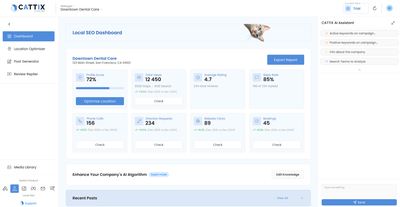
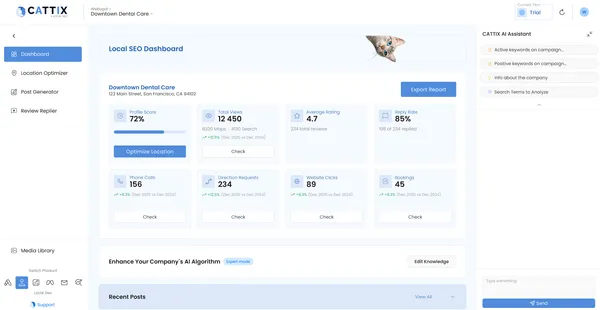
The CATTIX local seo dashboard shows everything in one view:
- Total Views with Search vs Maps breakdown
- Phone Calls, Direction Requests, Website Clicks — the actions that matter
- Rating and Review Response Coverage — your reputation at a glance
- Recent Posts — your Google Business Profile posting activity
- Recent Reviews — latest customer feedback with AI-drafted replies
This is not just a reporting tool — it is a management platform. CATTIX combines reporting with the tools that improve the metrics you are tracking:
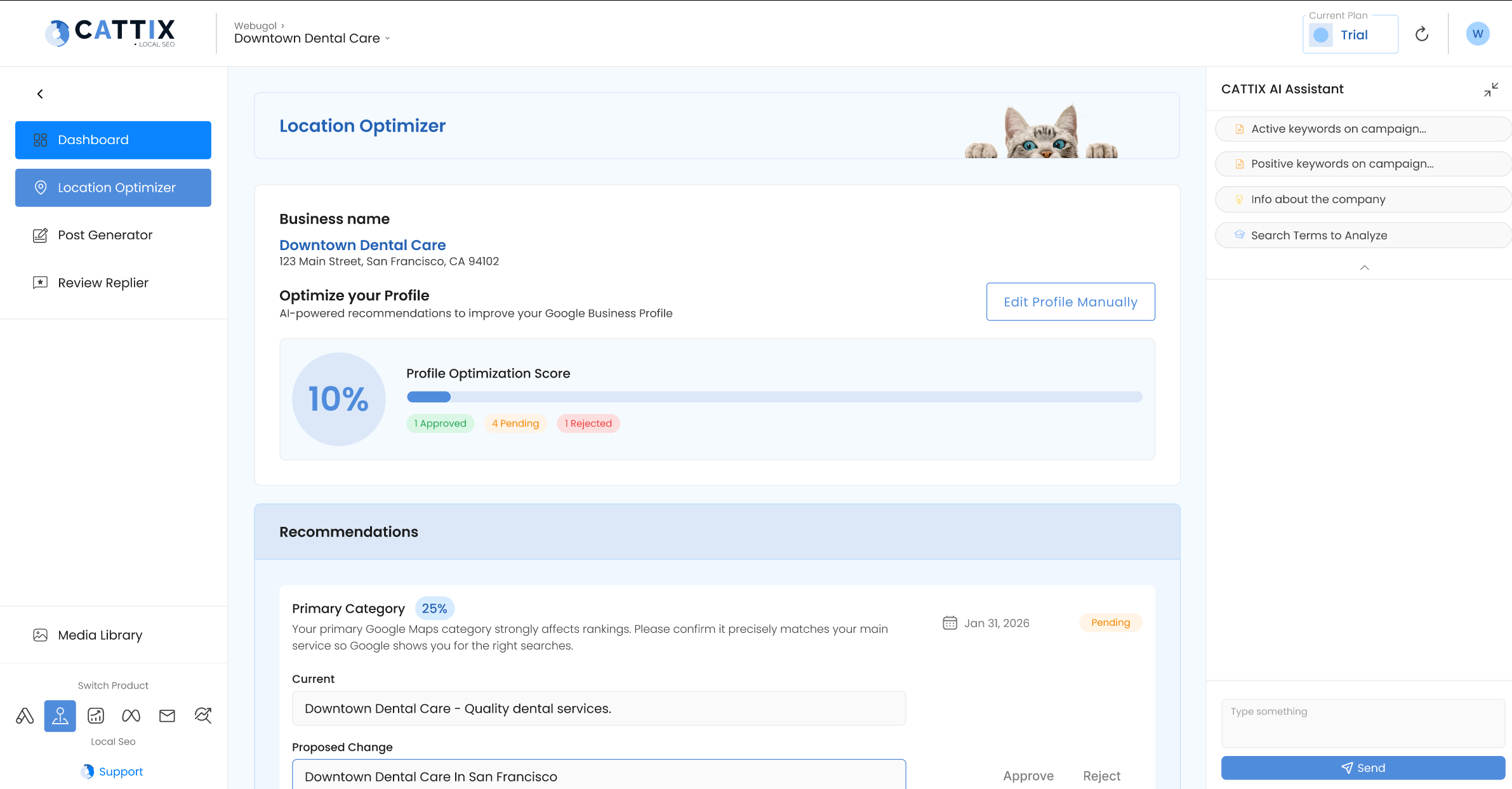
- Profile Optimizer identifies what is missing on your GBP listing and helps you fix it
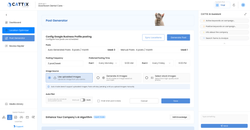
- Post Generator keeps your profile active with scheduled AI-generated posts
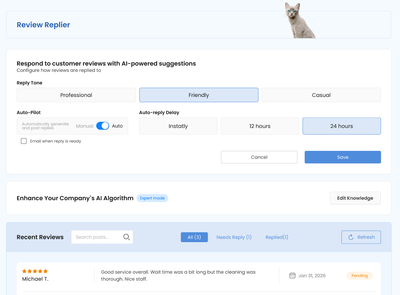
- Review Replier drafts replies to every review so your response rate stays high
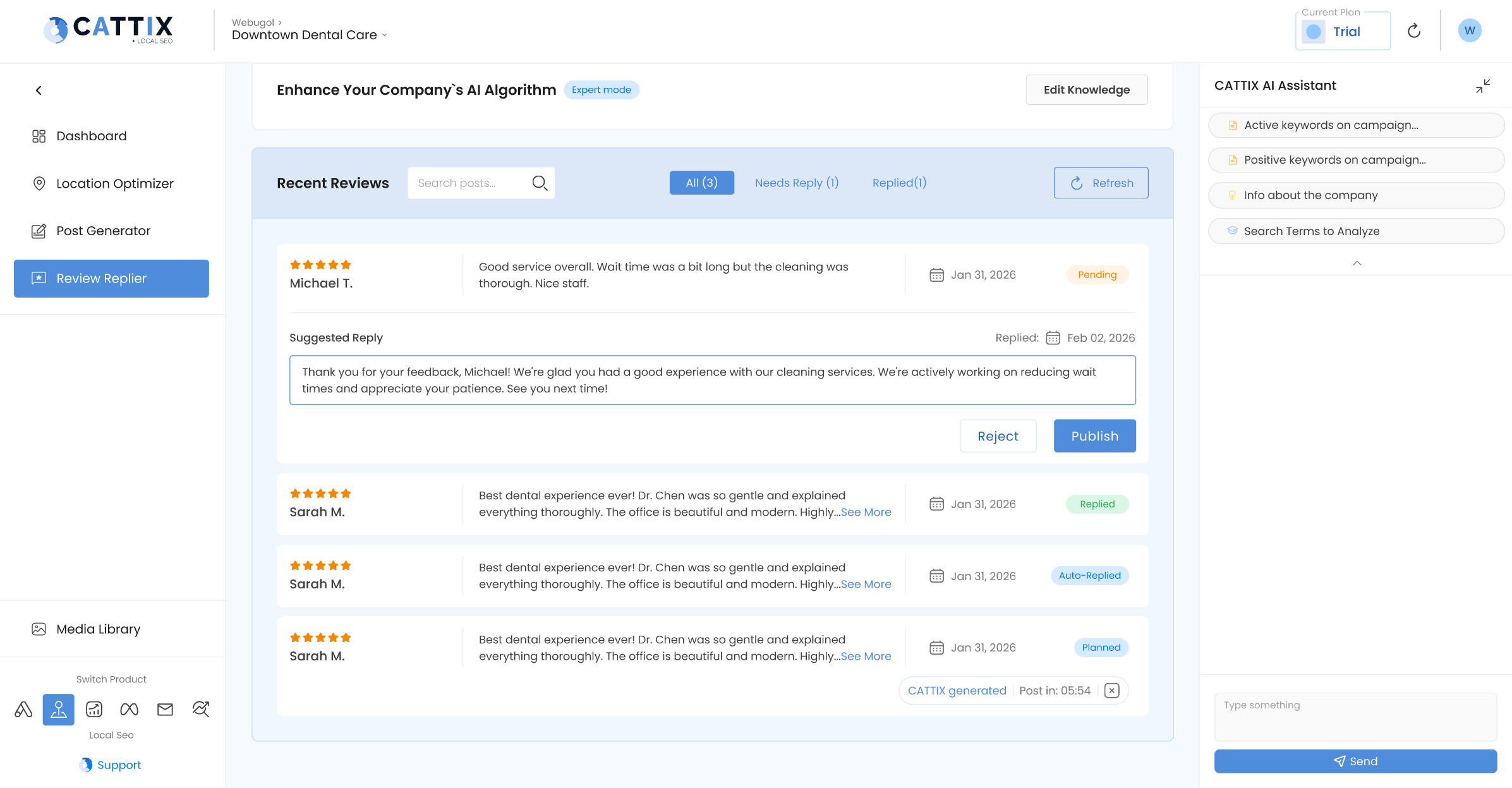
The result: your local seo reporting and your local SEO management happen in the same place. You see the data, and you can act on it immediately — no switching between tools.
For businesses that also run Google Ads, CATTIX offers ai for local seo alongside its Google Ads module. The Market Analyzer identifies local opportunities, and Campaign Forecasting projects costs before spending. Learn more about the full suite of ai tools for local seo or explore ppc automation tools for your paid campaigns.
FAQ
What is a local SEO report?
A local SEO report tracks how a business performs in local search — including Google Business Profile views, calls, direction requests, keyword rankings, reviews, and local traffic. It helps businesses understand whether their local SEO efforts are working.
What should I include in a local SEO report?
Include GBP performance metrics (views, calls, directions, website clicks), review data (rating, count, response rate), local keyword rankings, traffic from local search, and conversion data. Start with an executive summary and end with action items.
How often should I create local SEO reports?
Monthly reports work best for most businesses. Weekly check-ins on key metrics (calls, reviews) help catch issues early. Real-time dashboards like CATTIX provide continuous visibility without manual report creation.
What are the best local SEO reporting tools?
Top options include CATTIX (built-in dashboard with management tools), AgencyAnalytics (agency-focused), BrightLocal (local SEO specialist), DashThis (customizable templates), and Google Business Profile Insights (free basics).
Can I automate local SEO reporting?
Yes. Tools like CATTIX, AgencyAnalytics, and BrightLocal automate data collection and dashboard updates. CATTIX goes further by combining automated reporting with AI-powered local SEO management in one platform.
What local SEO metrics matter most?
Phone calls, direction requests, and website clicks from your Google Business Profile are the highest-impact metrics for most local businesses. Review rating and response rate directly influence rankings. Keyword positions track long-term progress.
Do I need a local SEO audit report?
Yes. A local SEO audit identifies gaps in your Google Business Profile, missing citations, review management issues, and keyword opportunities. Run an audit before starting optimization, then track progress with regular reports.
How does CATTIX help with local SEO reporting?
CATTIX provides a built-in local SEO dashboard that shows GBP performance, review metrics, posting activity, and recent reviews in one view. It combines reporting with AI-powered profile optimization, posting, and review management.