

Building a PPC campaign from scratch takes time. You need to research keywords, estimate costs, structure ad groups, write ads, and configure settings before you can even launch. For many businesses, this process stretches into hours or days.
But what if you could build a complete Google Ads campaign in minutes? Modern PPC campaign builder software powered by AI can handle market analysis, keyword research, cost forecasting, and campaign creation automatically. This guide shows you both approaches: the traditional way and how AI Google Ads management tools like CATTIX streamline the entire process.
What Is a PPC Campaign Builder?
A PPC campaign builder is a tool or process that helps you create pay-per-click advertising campaigns. Whether you use Google Ads directly or specialized software, the goal is the same: build campaigns that drive clicks, leads, and sales.
The challenge? Campaign building involves multiple steps that require expertise. You need to understand keyword match types, bidding strategies, ad group structures, and budget allocation. Get any of these wrong, and you waste money on poorly performing ads.
That is why more advertisers are turning to automated campaign building tools that use AI to handle the complexity.
The Traditional Way to Build a PPC Campaign
Before looking at AI solutions, here is how most people build PPC campaigns manually:
- Research keywords using Google Keyword Planner or similar tools
- Analyze search volume and CPC for each keyword
- Organize keywords into ad groups based on themes
- Write headlines and descriptions for each ad group
- Set campaign settings (budget, locations, languages, bidding)
- Launch and monitor performance
This approach works, but it has problems. Keyword research alone can take hours. You might miss valuable terms or include irrelevant ones. Estimating costs requires manual calculations, and structuring ad groups properly demands PPC expertise.
For businesses running multiple campaigns across different products or locations, the manual approach becomes unsustainable.
How CATTIX Builds PPC Campaigns with AI
CATTIX takes a different approach. Instead of making you do everything manually, the platform uses AI to automate each step of campaign building. Here is how it works.
Step 1: Market Analysis
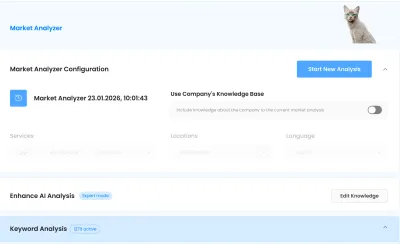
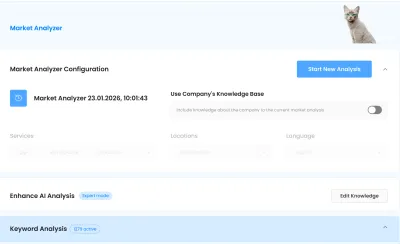
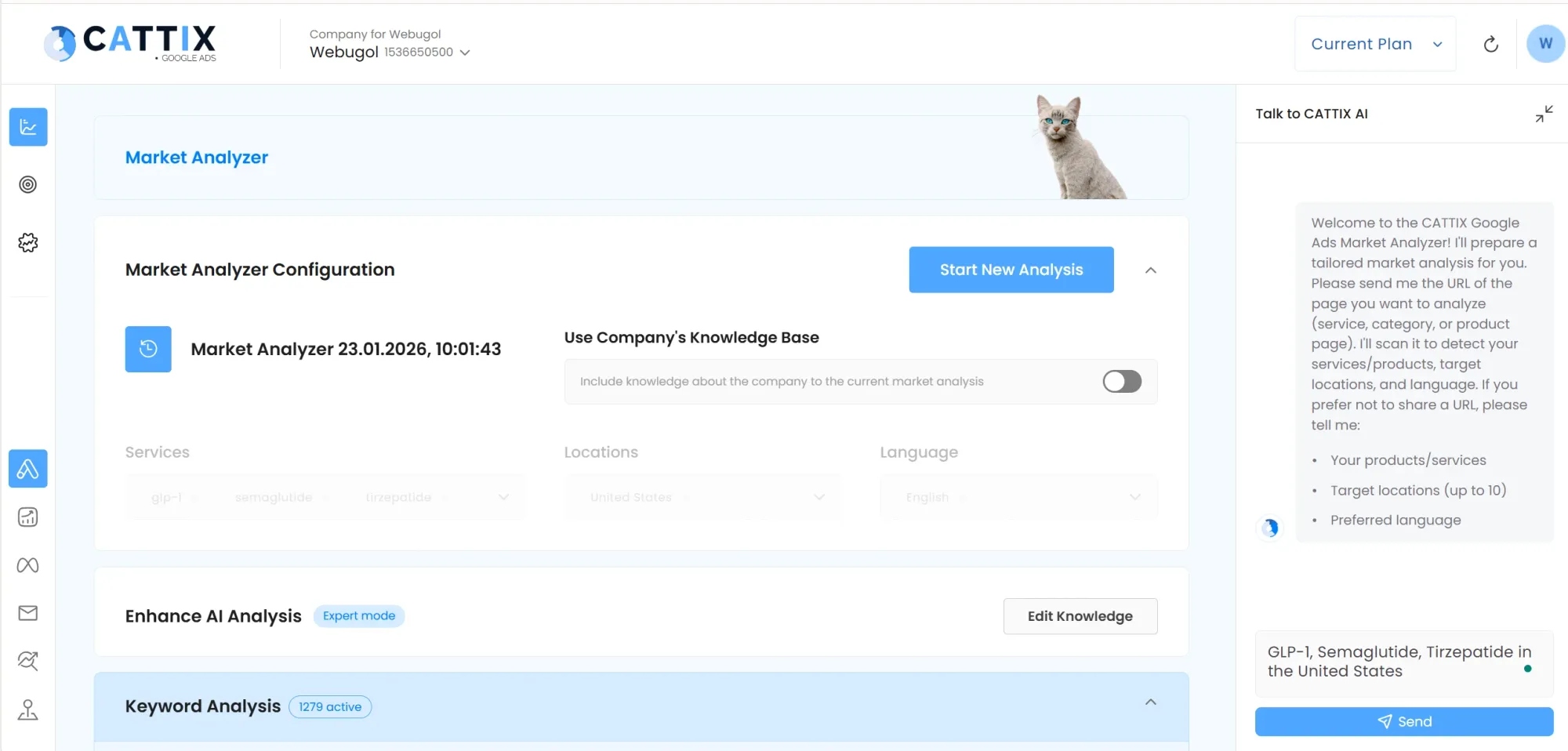
Start by entering your services or products, target locations, and language. CATTIX analyzes your market automatically using AI.
The Market Analyzer includes an AI chat assistant that helps configure your analysis. You can also enable the Company Knowledge Base to include information about your business for more personalized results.
Step 2: Keyword Collection and Filtering
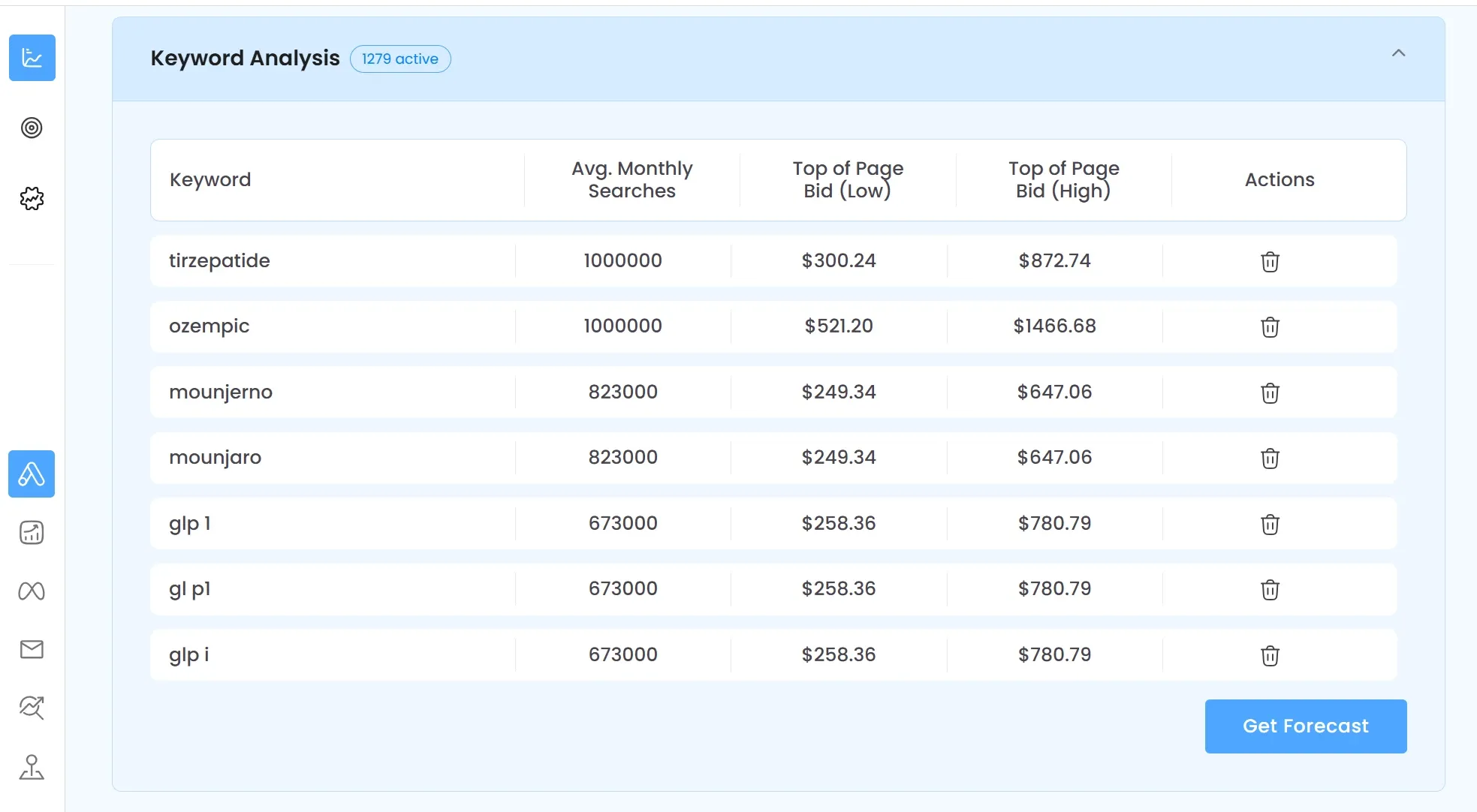
After market analysis, CATTIX collects relevant keywords automatically. In the Keyword Analysis section, you can see all discovered terms with key data for each:
- Average Monthly Searches shows demand
- Top of Page Bid (Low) shows minimum CPC
- Top of Page Bid (High) shows competitive CPC
The platform might find over 1,000 keywords depending on your market. You can filter and remove irrelevant terms with one click. This beats spending hours in Keyword Planner copying data into spreadsheets.
For more on optimizing your keyword bids, see our guide to PPC bid management.
Step 3: Forecast Your Campaign Performance
Before spending any money, click "Get Forecast" to see projections for your campaign. CATTIX shows:
- Estimated monthly search volume
- Projected clicks
- Estimated cost
This data helps you set realistic budgets and understand potential ROI before launch. No more guessing whether your campaign will be profitable.
Step 4: Create Your Campaign with AI
Once you have selected keywords and reviewed forecasts, move to the Campaign Creator. Configure your campaign settings:
- Campaign name and Google Ads account
- Bidding strategy (Maximize conversions, Target CPA, etc.)
- Conversion goals specific to your campaign
- Daily budget in USD
- Match type (Exact, Phrase, or Broad)
- Language targeting (multiple languages supported)
- Locations (countries, regions, or cities)
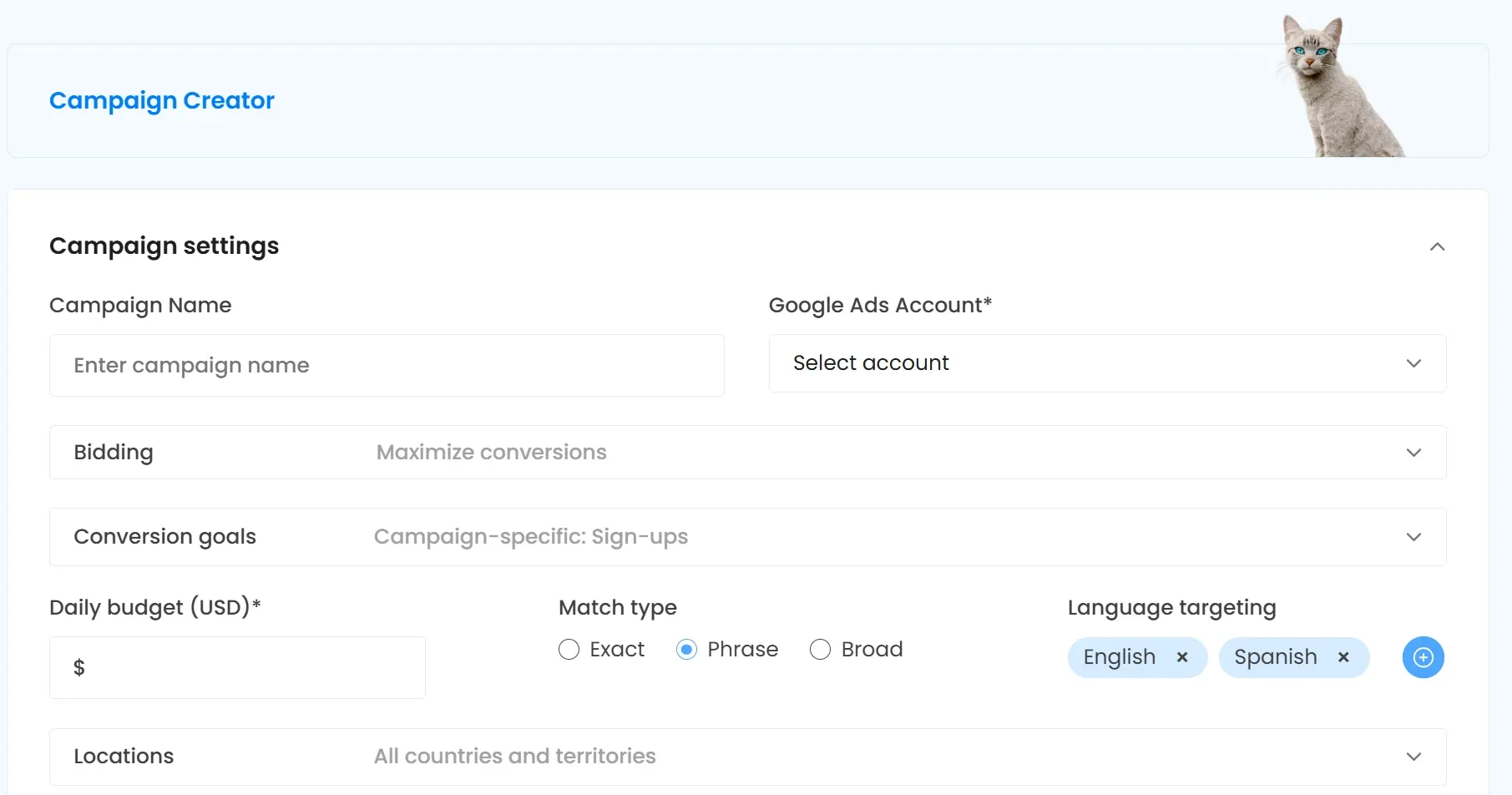
CATTIX uses AI to structure your ad groups and create responsive ads based on your keywords and business information.
Step 5: Review and Publish
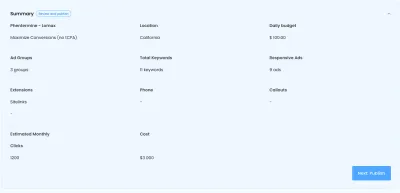
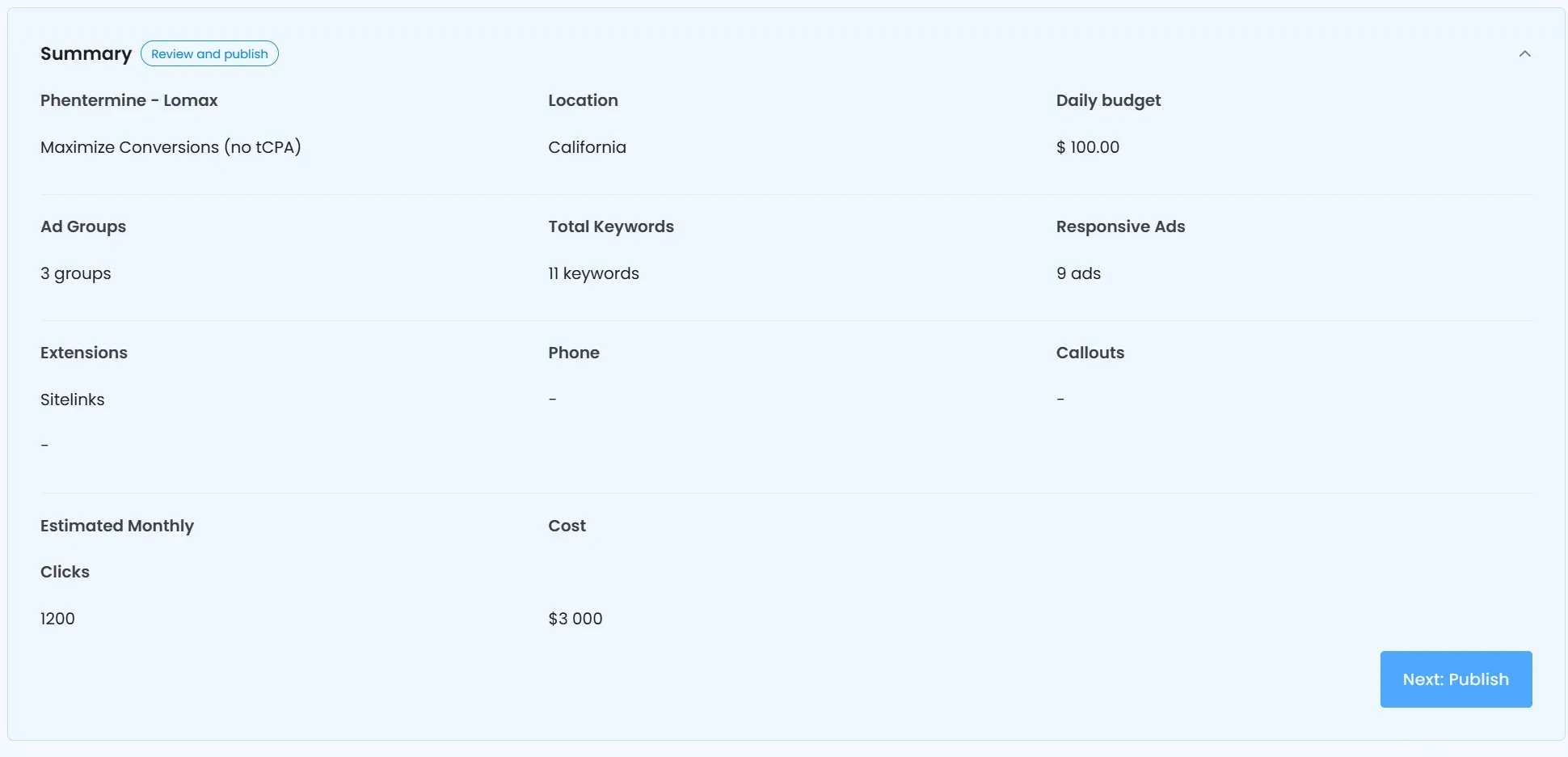
Before going live, review the campaign summary. CATTIX shows everything in one view:
- Ad Groups created
- Total Keywords included
- Responsive Ads generated
- Extensions (sitelinks, callouts)
- Estimated Monthly Clicks
- Estimated Cost
When everything looks right, click "Next: Publish" to push your campaign directly to Google Ads.
For ongoing optimization, explore our PPC automation tools guide.
Key Components of Any PPC Campaign
Whether you build manually or use AI, understanding campaign components helps you make better decisions.
Campaign Structure and Ad Groups
A Google Ads campaign contains ad groups, and each ad group contains keywords and ads. Good structure means organizing keywords into tightly themed groups. This improves Quality Score and lowers your cost per click.
CATTIX handles this automatically by analyzing keyword relationships and grouping them logically.
Keywords and Match Types
Match types control which searches trigger your ads:
- Exact match shows ads only for the specific keyword
- Phrase match includes the keyword phrase with words before or after
- Broad match shows ads for related searches
Most campaigns benefit from starting with phrase or exact match to control spending. You can expand to broad match once you understand which searches convert.
Ad Copy and Extensions
Responsive search ads let Google test different headline and description combinations. Write multiple options and let the algorithm find winners.
Extensions (now called assets) add extra information to your ads: sitelinks, callouts, phone numbers, and more. They increase ad size and improve click-through rates at no extra cost.
Common PPC Campaign Building Mistakes
Avoid these errors when building campaigns:
Skipping keyword research. Launching without proper research wastes budget on irrelevant clicks. CATTIX solves this by automating keyword discovery.
Ignoring cost forecasts. Many advertisers set arbitrary budgets without understanding potential costs. Always forecast before launching.
Too broad targeting. Targeting entire countries when you serve specific regions burns money fast. Be specific with locations.
No negative keywords. Without negatives, your ads show for irrelevant searches. Add negative keywords from the start.
Set and forget. Campaigns need ongoing optimization. Monitor performance and adjust bids, budgets, and targeting regularly. Learn more in our PPC budget management guide.
Frequently Asked Questions
What is a PPC campaign builder?
A PPC campaign builder is software or a process that helps create pay-per-click advertising campaigns. Tools like CATTIX automate keyword research, cost forecasting, and campaign creation using AI.
How do I build a PPC campaign from scratch?
Start with keyword research, organize keywords into ad groups, write ad copy, set your budget and bidding strategy, configure targeting, and launch. AI tools can automate most of these steps.
Can AI build a PPC campaign for me?
Yes. Platforms like CATTIX use AI to analyze your market, collect keywords, forecast costs, and create complete campaigns automatically. You review and publish with one click.
How do I find keywords for my PPC campaign?
Manually, use Google Keyword Planner to research terms. With CATTIX, the Market Analyzer discovers keywords automatically and shows search volume and CPC for each.
How do I estimate PPC campaign costs before launching?
Use forecasting tools. CATTIX shows estimated monthly clicks and costs based on your selected keywords and targeting before you spend anything.
What is the best structure for a PPC campaign?
Organize keywords into tightly themed ad groups. Each ad group should focus on closely related terms so your ads match search intent closely.
How long does it take to build a PPC campaign?
Manually, expect several hours to days for research, setup, and ad writing. With AI tools like CATTIX, you can build and launch campaigns in minutes.
What mistakes should I avoid when building a PPC campaign?
Avoid skipping keyword research, ignoring cost forecasts, targeting too broadly, forgetting negative keywords, and failing to monitor performance after launch.
Build Smarter PPC Campaigns Today
Manual campaign building works, but it is slow and requires expertise. AI-powered tools change the equation. CATTIX handles market analysis, keyword collection, cost forecasting, ad group creation, and campaign publishing in one workflow.
Stop spending hours on campaign setup. Try CATTIX and build your next Google Ads campaign in minutes.
About the Author
Eugene Ugolkov, CEO and Founder at CATTIX
Eugene is the founder of CATTIX, an AI-powered Google Ads management platform. With extensive experience in digital marketing and machine learning, he leads the development of intelligent advertising solutions that help businesses maximize their ROI.
Publications: Google Scholar