
Sitelinks are one of the most effective google ads extensions available, yet many advertisers either skip them or set them up poorly. Adding the right sitelinks to your campaigns can increase click-through rates by 20-30 percent and give searchers more reasons to engage with your ad.
This guide covers what are sitelinks, provides real sitelink examples across industries, shares sitelinks best practices, and shows how CATTIX automates the entire process.
What Are Sitelinks in Google Ads?
Sitelinks are additional links that appear below your main ad text in Google Ads. They direct users to specific pages on your website — like pricing, product categories, contact pages, or special offers. Instead of a single destination, your ad becomes a mini navigation menu.
Each sitelink asset google ads entry includes a link text (up to 25 characters) and two optional description lines (up to 35 characters each). Google shows between two and six sitelinks depending on the device, ad position, and relevance.
Sitelink extensions google ads are available for Search campaigns, Performance Max, Video campaigns on YouTube, and Demand Gen campaigns. You can set them at the account, campaign, or ad group level.
Why do they matter? Advertisers who improve their ad strength from "Poor" to "Excellent" — including adding strong sitelinks — see an average of 15 percent more conversions. Sitelinks also increase your ad's visual footprint on the search results page, pushing competitor ads further down.
Examples of Sitelinks by Industry
The best sitelinks examples match the searcher's intent and offer clear next steps. Here are sitelinks google ads examples across different business types:
E-Commerce
- Shop Sale Items — Links to the current sale page
- New Arrivals — Highlights the latest products
- Free Shipping — Directs to shipping policy or qualifying items
- Customer Reviews — Builds trust before the click
A site link example for an online clothing store might include "Women's Dresses," "Men's Shoes," "Gift Cards," and "Track Your Order." Each link serves a different shopper intent.
SaaS and Software
- Start Free Trial — Strongest conversion sitelink
- View Pricing — Answers the most common buyer question
- See Features — For researchers comparing tools
- Book a Demo — For enterprise or high-touch sales
This site links example pattern works because it covers the full buyer journey — from research to conversion — in a single ad.
Local Services
- Get a Free Quote — Lead generation focused
- Service Areas — Shows geographic coverage
- Emergency Services — Captures urgent intent
- Customer Testimonials — Social proof
Professional Services
- Free Consultation — Low-commitment entry point
- Case Studies — Evidence of results
- Our Team — Builds credibility
- Contact Us — Direct response
A google sitelinks example for an accounting firm might pair "Tax Preparation" with a sitelink description examples like "Expert tax filing for individuals and businesses. Get started today."
Sitelink Description Examples
Adding descriptions to your sitelinks unlocks expanded ad formats. Sitelink description examples should reinforce the link text with a specific benefit:
| Sitelink Text | Description Line 1 | Description Line 2 |
|---|---|---|
| View Pricing Plans | Transparent pricing for every plan. | Start free for 14 days. |
| Start Free Trial | No credit card required. | Set up in under 5 minutes. |
| Read Case Studies | See how clients grew 40% ROI. | Real results from real businesses. |
| Contact Our Team | Talk to a specialist today. | Available Mon-Fri, 9am-6pm. |
Always write both description lines. Google requires descriptions to unlock certain ad formats, and they give you more space to convince the searcher.
Sitelinks Best Practices
Follow these sitelinks best practices to get the most from your campaigns:
Add at least four sitelinks. Google needs a minimum of two to show any, but four to six gives the system flexibility to choose the most relevant combination for each search.
Keep link text short. Aim for 12-15 characters. Shorter text displays better on mobile and allows Google to show more sitelinks without truncating.
Use unique landing pages. Each sitelink must point to a different URL. Sending multiple sitelinks to the same page violates Google's policy and wastes the opportunity.
Match sitelinks to ad groups. Account-level sitelinks work as a baseline, but campaign or ad group level sitelinks let you tailor links to specific keywords and audiences.
Enable dynamic sitelinks. Google can automatically generate automated sitelink extensions based on your website content. Keep this enabled alongside your manual sitelinks for maximum coverage.
Test and rotate. Add more sitelinks than the minimum so Google can test different combinations. Review performance regularly and replace underperformers.
How to Add Sitelinks in Google Ads
For advertisers wondering how to add sitelinks in google ads manually, the process involves navigating to Assets in your Google Ads account, creating each sitelink individually, writing descriptions, and assigning them to campaigns or ad groups. For a handful of campaigns, this works. For businesses running multiple campaigns, it becomes time-consuming.
This is where AI automation changes the game.
How CATTIX Automates Sitelink Creation
CATTIX takes a different approach to sitelinks. Instead of manually creating each one, CATTIX's Campaign Creator builds sitelinks automatically as part of the campaign creation process.
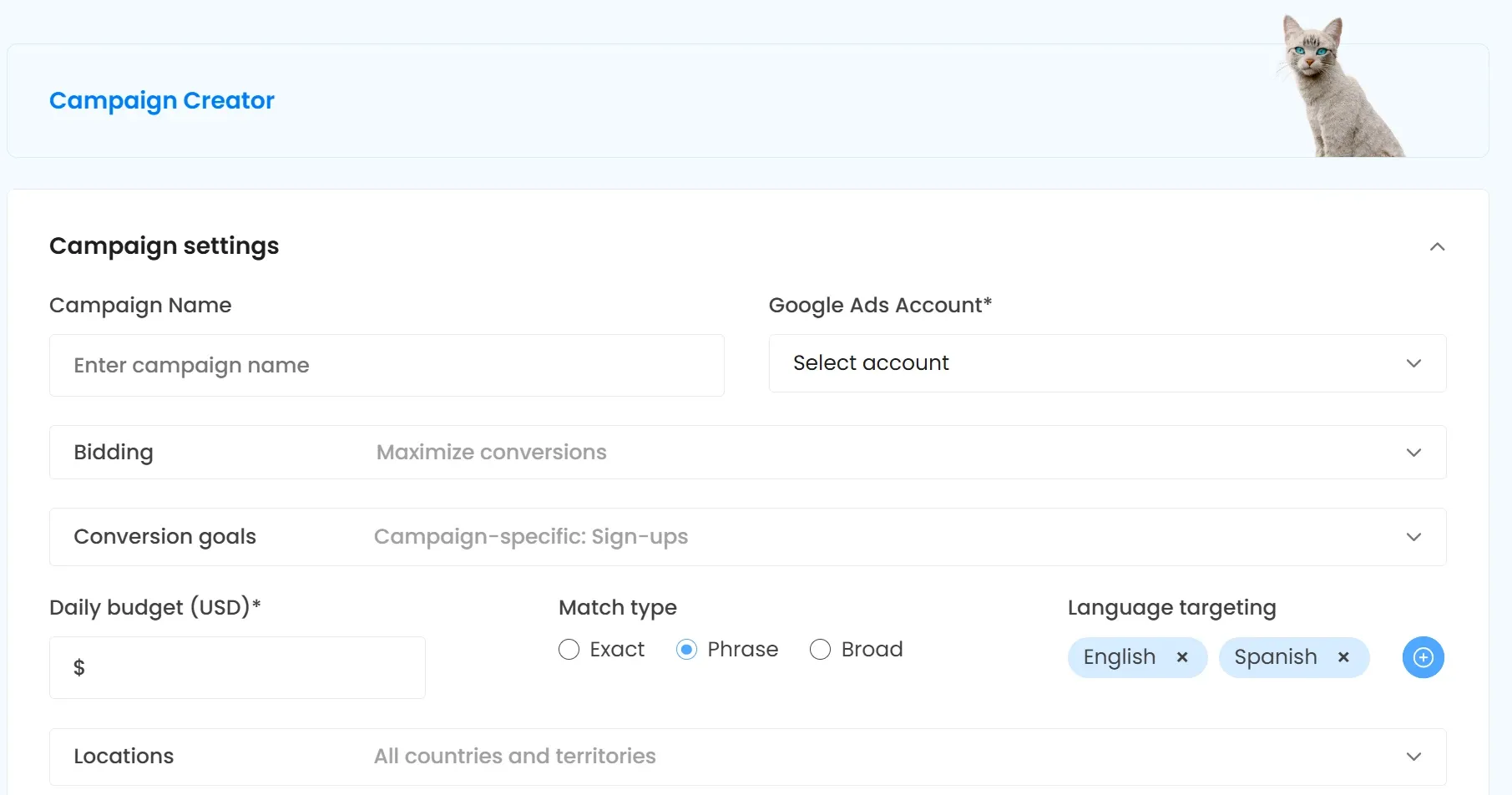
Here is how it works:
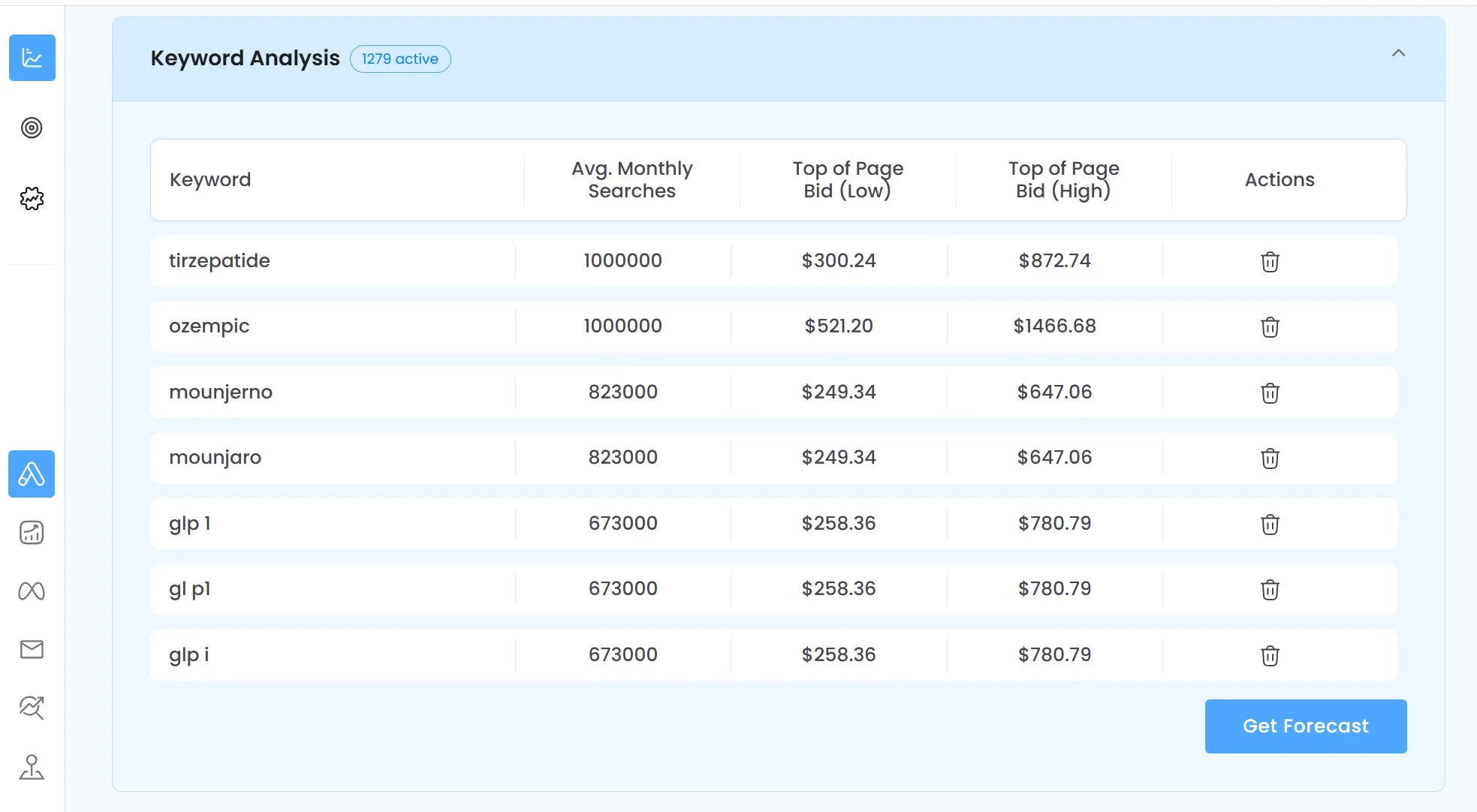
- Market Analyzer identifies your market, competitors, and opportunities
- Keyword Analysis collects 1,000+ relevant keywords with search volume and CPC data
- Campaign Creator structures ad groups, writes responsive ads, and generates sitelink extensions and callouts — all automatically
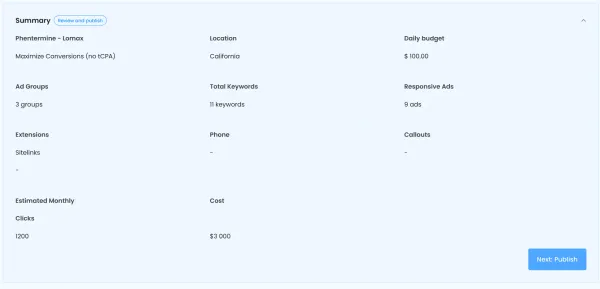
- Campaign Summary shows everything before publishing, including the number of extensions created
The Campaign Summary displays your complete campaign overview: ad groups, keywords, responsive ads, and extensions (sitelinks, callouts) with estimated monthly clicks and costs. One click publishes everything directly to Google Ads.
This is what separates CATTIX from manual campaign building and from ppc automation tools that only optimize existing campaigns. CATTIX builds the entire campaign — including properly structured sitelinks — from the ground up.
For advertisers who want to build campaigns faster without sacrificing quality, CATTIX handles the ppc campaign builder workflow end to end. Combined with ai google ads management, you get a complete system that handles market research, campaign creation, and sitelink generation in minutes instead of hours.
FAQ
What are sitelinks in Google Ads?
Sitelinks are additional links that appear below your main ad text. They direct users to specific pages on your website, like pricing, features, or contact pages. They increase ad visibility and click-through rates.
How many sitelinks should I add?
Add at least four sitelinks per campaign. Google requires a minimum of two to display any, but four to six gives the system more options to show the best combination for each search query.
Do sitelink descriptions matter?
Yes. Adding both description lines unlocks expanded ad formats that take up more space on the results page. Descriptions also help Google match your sitelinks to relevant searches.
Can sitelinks improve my click-through rate?
Yes. Sitelinks can increase CTR by 20-30 percent for branded queries and significantly boost performance on non-branded terms by giving searchers more relevant entry points.
What makes a good sitelink?
Good sitelinks are short (12-15 characters), relevant to the ad and keyword, point to unique landing pages, and offer clear value — like "Free Trial," "View Pricing," or "See Results."
Should I use dynamic sitelinks?
Yes. Keep dynamic (automated) sitelinks enabled alongside your manual ones. Google generates these from your website content, and they give the system more options to improve performance.
Can AI create sitelinks automatically?
Yes. CATTIX generates sitelink extensions automatically as part of the campaign building process. The AI structures your campaign, writes ads, and creates relevant sitelinks — all published to Google Ads in one click.
How often should I update my sitelinks?
Review sitelink performance monthly. Replace sitelinks with low click-through rates, test new variations, and update links when your website content or promotions change.